This guide is based on a real deployment of solobuilderstack.com, not a generic hosting checklist.
Launch an AI Tool Directory with Cloudflare Pages, Name.com, and Search Console
A field-tested setup log for buying a domain, deploying a static AI tool directory, adding canonical redirects, and submitting a sitemap to Google Search Console.
Updated: 2026-06-30
The stack uses GitHub, Cloudflare Pages, a Name.com domain, Cloudflare DNS, Bulk Redirects, and Google Search Console.
The goal is not immediate revenue. The goal is to make a crawlable, trustworthy base that can support content expansion and later monetization tests.
Recommended workflow
- Build the static directory first so the domain has real pages to serve.
- Buy one clean .com domain and avoid checkout upsells such as hosting, email, SSL bundles, or domain monitoring add-ons.
- Connect the domain to Cloudflare by replacing the registrar nameservers with Cloudflare nameservers.
- Attach both the apex domain and www subdomain to the Cloudflare Pages project.
- Set one canonical host with 301 redirects before submitting the sitemap.
- Verify the domain in Google Search Console and submit the sitemap only after the live domain returns 200.
1. Start with a small but crawlable site
The site should exist before the domain work starts. In this deployment, the static build already had a homepage, tool profile pages, comparison pages, guides, a robots.txt file, and a sitemap.xml file.
Only source-checked tool pages were allowed into the sitemap. Thin discovery pages remained noindex until they had official sources, update dates, screenshots, and practical notes. This keeps the first version smaller, but safer.
- Use a build command that can run in Cloudflare Pages, such as npm run build.
- Keep the output directory predictable, such as dist.
- Make sure canonical URLs use the final production domain before submitting to Google.
2. Buy the domain without add-ons
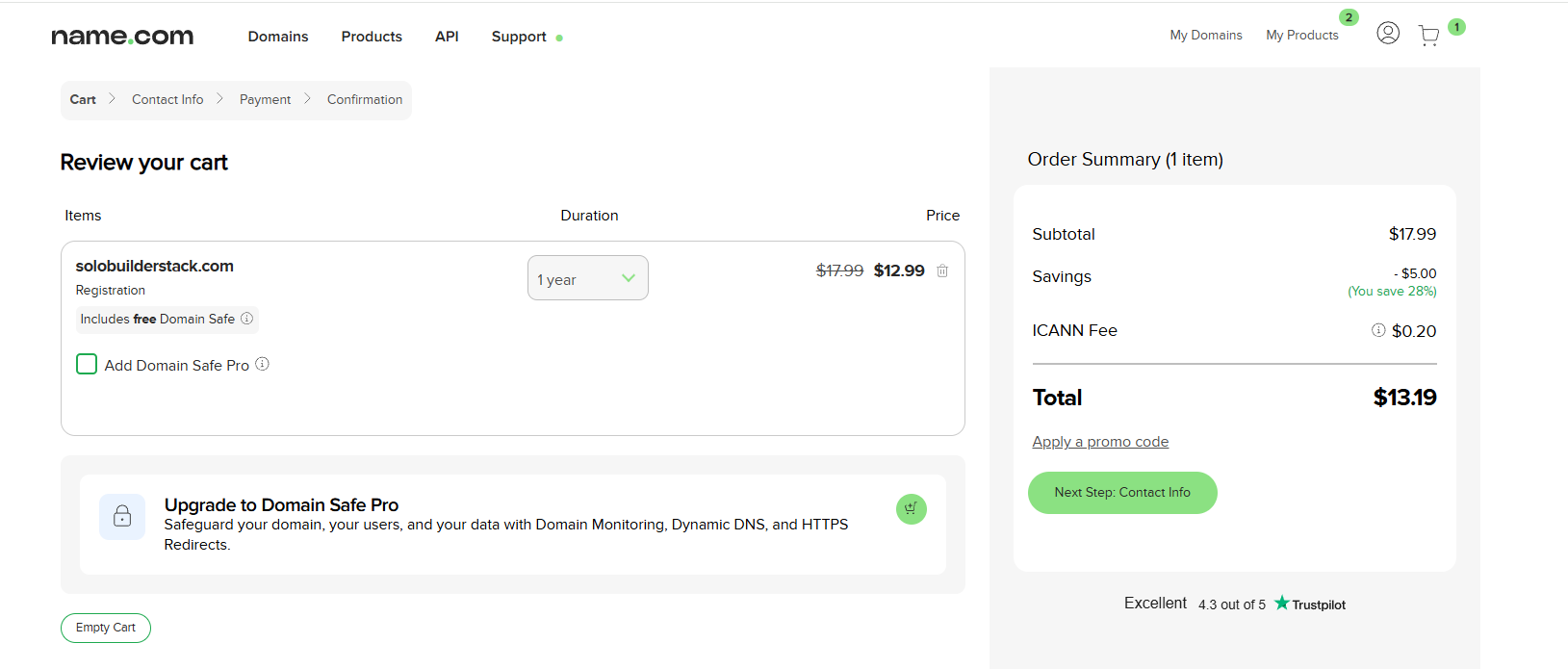
Name.com was selected because the checkout supported payment options that were easier to use from China than Cloudflare Registrar in this case. The domain selected was solobuilderstack.com.
The important part of the checkout was removing upsells. Domain Safe Pro, website builders, hosting, email, and extra SSL services were not needed because Cloudflare Pages already provides HTTPS for the deployed site.
3. Move DNS control to Cloudflare
After the domain purchase, the domain was added to Cloudflare as a connected domain. Cloudflare supplied two nameservers, and those replaced the default Name.com nameservers.
Cloudflare may briefly show a waiting state while nameserver propagation finishes. The practical check is to confirm that public NS records return the Cloudflare nameservers before continuing with the Pages custom domain setup.
- Do not keep registrar parking A records after Cloudflare imports them.
- Let Cloudflare Pages create the final CNAME records during custom-domain activation.
- Keep DNSSEC off until the basic setup is stable unless you already know the registrar and Cloudflare DNSSEC flow.
4. Attach the apex and www domains to Cloudflare Pages
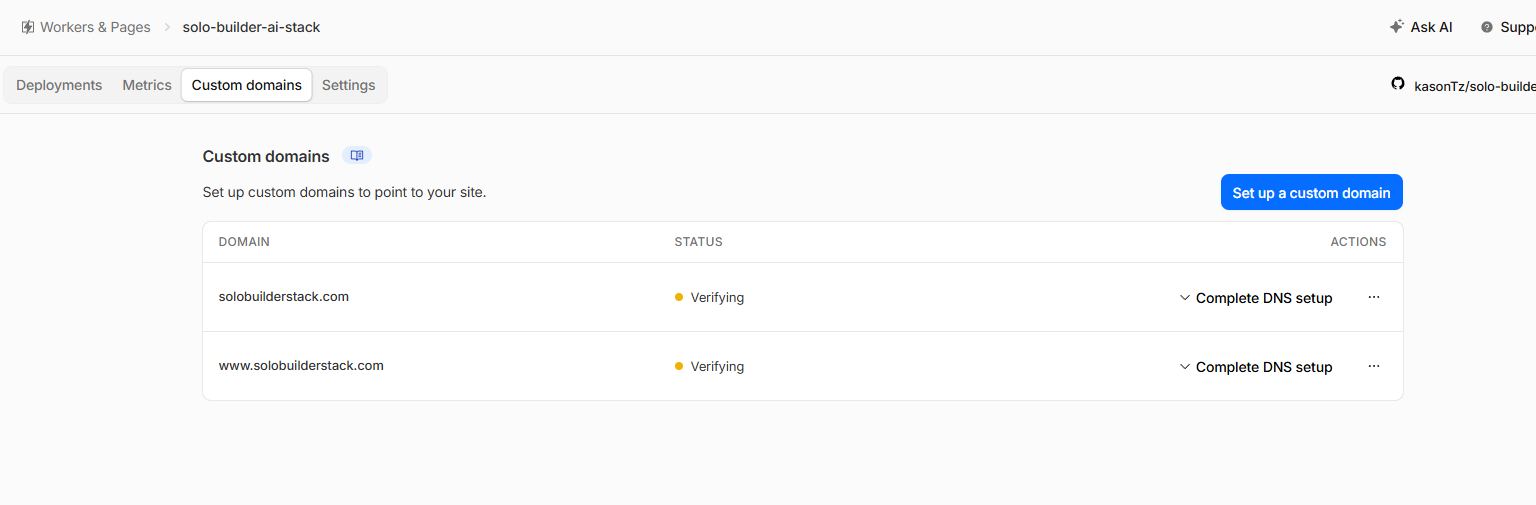
Inside the Cloudflare Pages project, both solobuilderstack.com and www.solobuilderstack.com were added under Custom domains. Cloudflare created the required DNS records and enabled SSL.
The custom-domain screen should show Active for both hostnames before the site is treated as production-ready.
5. Redirect duplicate hosts to the canonical domain
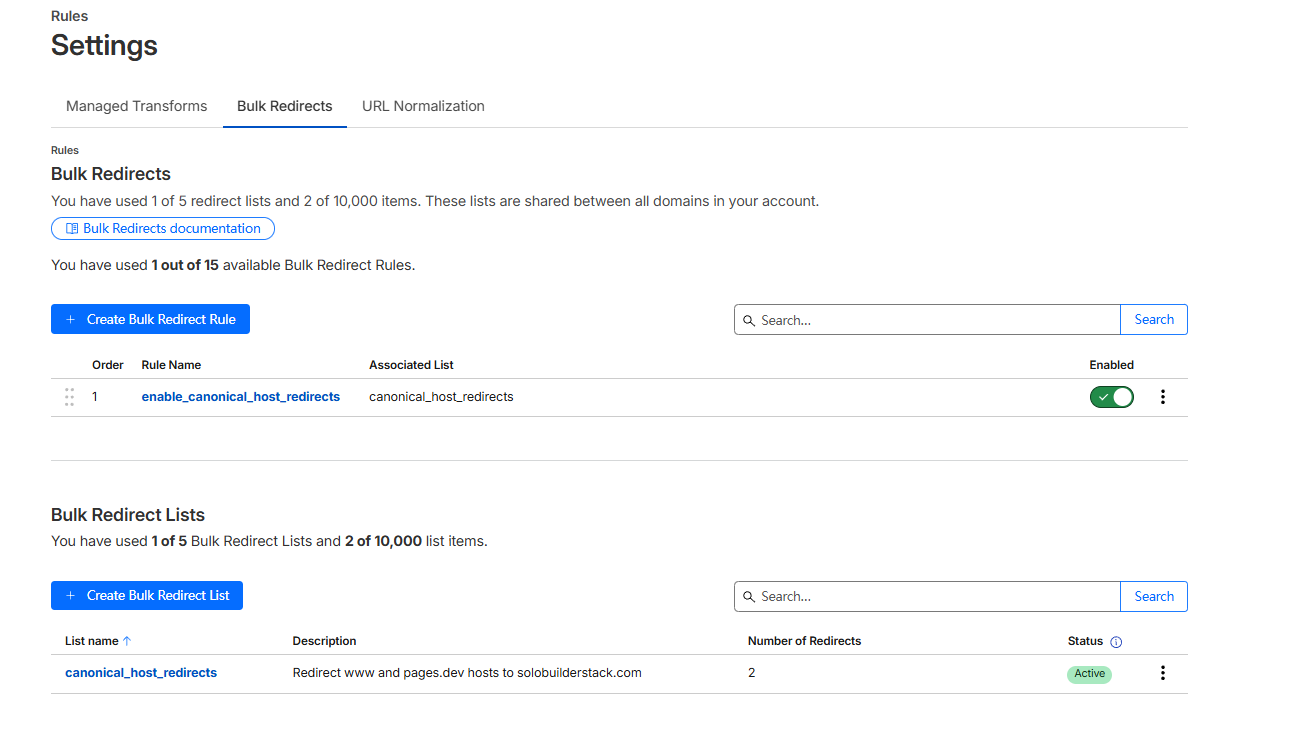
The site should have one preferred host. In this setup, https://solobuilderstack.com is the canonical domain. The www host and the temporary pages.dev host were redirected to that domain with 301 redirects.
Cloudflare Pages _redirects is useful for path-level redirects inside a project, but host-level redirects for www and pages.dev are better handled with Cloudflare Bulk Redirects.
- Redirect https://www.solobuilderstack.com to https://solobuilderstack.com.
- Redirect https://solo-builder-ai-stack.pages.dev to https://solobuilderstack.com.
- Enable preserve query string, subpath matching, and preserve path suffix.
6. Verify Search Console and submit the sitemap
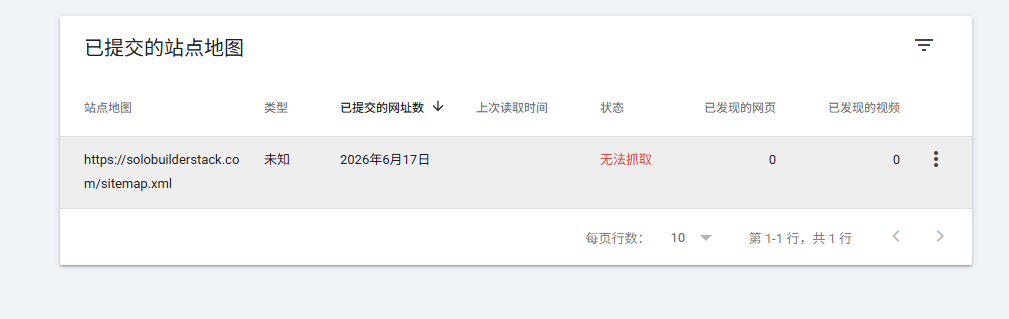
Google Search Console domain verification succeeded through Cloudflare DNS authorization. After verification, the sitemap URL was submitted as https://solobuilderstack.com/sitemap.xml.
The first sitemap result briefly showed a fetch issue, then changed to Success and discovered 14 pages. That delay is normal enough that it should not trigger a rebuild unless the sitemap URL itself fails in a browser or command-line HTTP check.
7. What to do before monetization
A domain, deployment, and sitemap do not create traffic by themselves. They only make the site eligible to be crawled and measured. The next work is editorial: add original tool testing, screenshots, update dates, and comparison logic that helps a reader make a decision.
AdSense and affiliate links should wait until the site has original content, clear navigation, and enough Search Console data to identify pages with impressions or clicks. Applying too early adds compliance work before there is meaningful revenue potential.
8. How this guide should be used after early Search Console signals
This page is the field-tested launch record, so it should be treated as the pillar page for the Cloudflare Pages, Name.com, Search Console, sitemap, and canonical redirect workflow. The shorter generic launch guide should stay as an overview and route readers here when they need proof from a real setup.
As of the 2026-06-29 Search Console export, this guide was the strongest early page on the site with 28 impressions and no clicks yet. That is enough to review clarity and internal links, but not enough to rewrite the title, add ads, or publish a broad new article only for page count.
- Use this guide when the reader needs the full deployment path from domain purchase to sitemap submission.
- Use the Name.com nameserver guide for the registrar handoff details.
- Use the sitemap troubleshooting guide when Search Console reports a fetch problem.
- Use the Search Console prioritization guide only after the site has enough page and query data to compare topics.
Common mistakes to avoid
Do not submit a sitemap while it still contains example.com or pages.dev canonical URLs.
Do not index tool pages that only contain generic descriptions and no source-checked evidence.
Do not buy registrar upsells just because they appear during checkout; most are not needed for a Cloudflare Pages static site.
Do not assume Google traffic starts immediately after verification. Search Console setup is the measurement baseline, not the growth engine.
Primary sources
- Cloudflare Pages custom domains
- Cloudflare Bulk Redirects for www to apex
- Cloudflare redirect pages.dev to custom domain
- Google Search Console sitemaps report
- Google helpful, reliable, people-first content
Related setup guides
Cloudflare Nameservers for a Name.com Domain
How to find Cloudflare nameservers, replace Name.com default nameservers, handle DNSSEC, wait for propagation, and avoid breaking a Cloudflare Pages site.
Fix Search Console Couldn't Fetch for a Cloudflare Pages Sitemap
A field-tested checklist for fixing Google Search Console Couldn't fetch on a Cloudflare Pages sitemap, with live URL, redirect, cache, and custom-domain checks.
Connect Cloudflare Pages to Google Search Console
A field-tested workflow for connecting a Cloudflare Pages site to Google Search Console, submitting a sitemap, checking URL Inspection, and reading the first performance signals.
What to Do After the First 50 Google Search Console Impressions
A field-tested checklist for a new AI tool directory after Search Console crosses 50 impressions but still has zero clicks.
Use Google Search Console to Prioritize AI Tool Pages
A practical decision framework for deciding which AI tool profiles, comparisons, and guides deserve more hands-on testing after a new directory site is submitted to Google.
Tools to inspect first
Cloudflare Pages
Deploy static builds, preview branches, and edge functions.
Google Search Console
Submit sitemaps, inspect indexing, monitor queries, and track search clicks.
Affiliate Programs
Earn commissions when readers buy tools through tracked links.
Google AdSense
Earn from display ads after site approval and policy compliance.
Astro
Build fast static pages from content collections and deploy to a CDN.
Aider
Ask an AI model to edit code in a local repository while keeping changes visible through Git diffs.