Indexing is a real milestone, but it is not the same as traffic, ranking stability, or monetization readiness.
What to Do After Google Indexes Your First Pages
A field-tested workflow for a new AI website after Search Console shows indexed pages, impressions, and the first clicks, without rushing into ads or thin content.
Updated: 2026-07-31
For solobuilderstack.com, the 2026-07-31 checkpoint showed 11 indexed pages, 20 not indexed pages, 712 impressions, and 2 clicks.
The right move after indexing is to improve already-visible pages, request reindexing only after meaningful updates, and keep publishing narrow evidence-backed guides.
Recommended workflow
- Confirm the important pages are indexed with URL Inspection before diagnosing traffic.
- Separate indexed pages, not-indexed pages, and performance data instead of treating them as one dashboard number.
- Update pages only when the Search Console data shows a real search-intent gap.
- Use Request indexing after changing titles, intros, structure, or important screenshots on an already-indexed page.
- Publish one supporting guide only when it fills a real workflow gap and does not duplicate an existing page.
- Wait for the next export before judging whether the update helped.
1. Indexing is the start of measurement
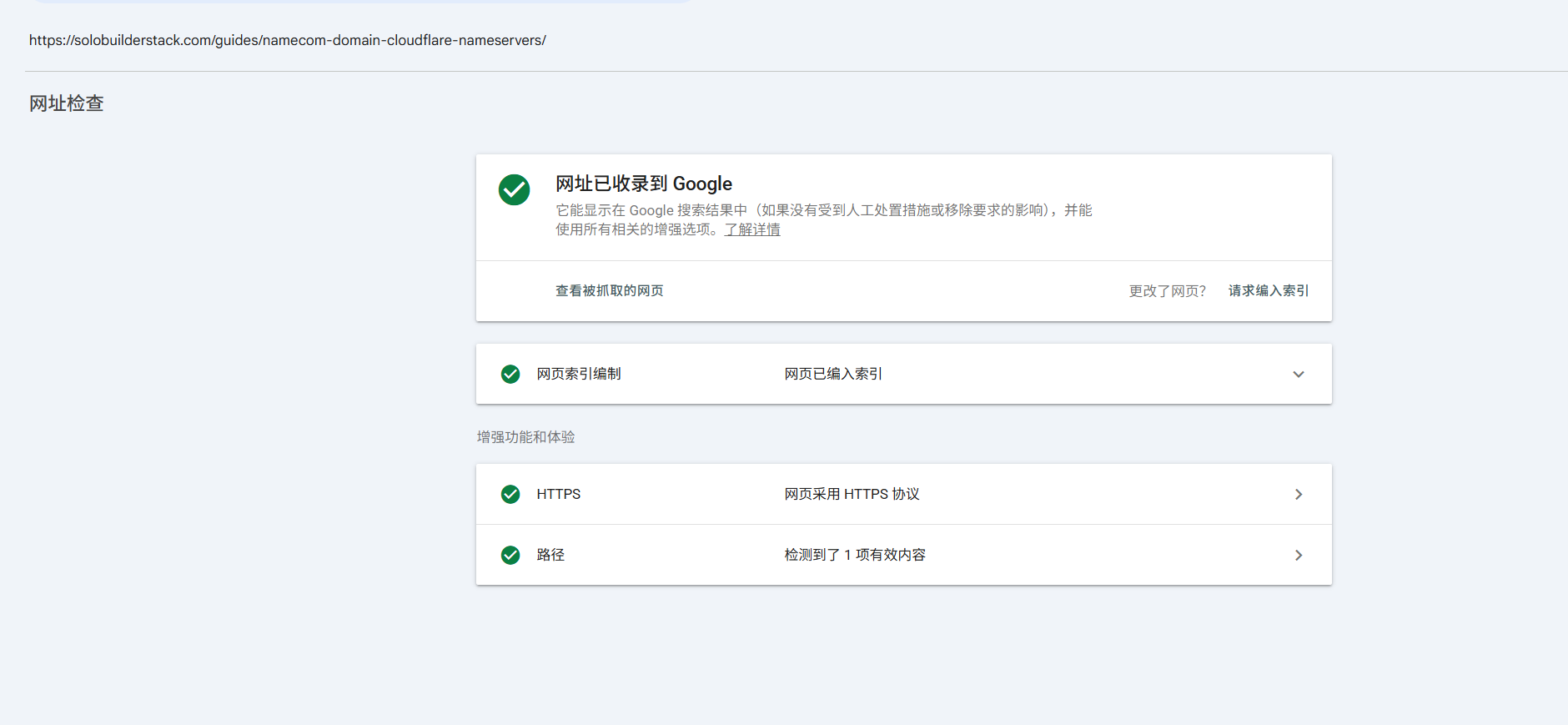
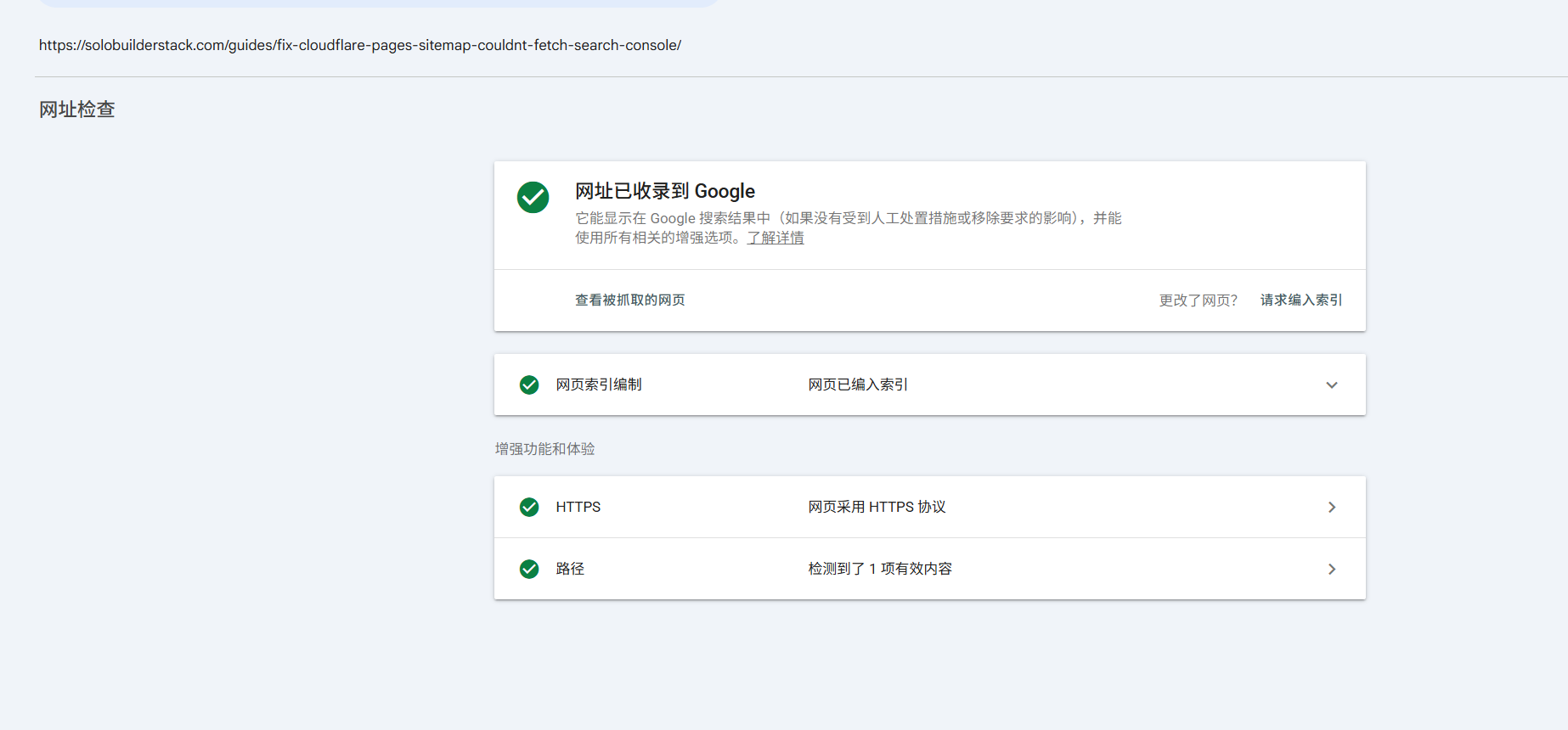
When Search Console says a URL has been indexed, Google has accepted that page into its search index. That is useful, but it does not mean the page will get traffic immediately. A newly indexed page can still rank low, appear for exploratory queries, or receive impressions without clicks.
This site reached a more mature early stage by 2026-07-31: 11 indexed pages, 20 not indexed pages, 712 impressions, and 2 clicks. That is enough to stop guessing whether Google can see the site. It is not enough to start treating the site as a proven commercial asset.
- Indexed means eligible to appear, not guaranteed to rank or earn clicks.
- Impressions show Google is testing pages in results.
- Clicks are the first real user-response signal.
- Monetization should still wait until useful visits and intent appear.
2. Do not confuse Page indexing with Performance
Search Console has separate jobs. The Page indexing report helps diagnose whether URLs are indexed or excluded. The Performance report shows impressions, clicks, position, query, page, country, and device data. Both matter, but they answer different questions.
A small site can have indexed pages and still have few clicks. That does not automatically mean the pages are bad. It can mean the site is young, the rankings are low, the queries are still broad, or the visible snippets do not yet match what searchers want.
- Use Page indexing to decide whether Google can include a page.
- Use Performance to decide which indexed pages deserve improvement.
- Do not request indexing for every URL just because impressions are low.
- Do not remove pages from the sitemap just because they have no clicks yet.
3. Request indexing only after a meaningful change
Google's URL Inspection documentation allows site owners to request indexing for a URL, but that should be used as a signal after a real page update, not as a daily button to press. Repeated requests for an unchanged page do not create better content or stronger demand.
In this workflow, requesting indexing made sense after two already-indexed pages were updated with clearer titles, stronger opening summaries, Search Console evidence, and better related-guide routing. That is a meaningful change because Google had already shown impressions for those pages.
- Good reason to request indexing: title, intro, structure, screenshots, or canonical content changed.
- Weak reason to request indexing: the page already has no clicks and nothing changed.
- Do the request once, then wait for data instead of repeating it.
4. Use indexing data to choose between updating and publishing
After a few pages are indexed, the content decision should be smaller and more disciplined. If a page already has impressions, improve it first. If a repeated workflow problem does not have a page yet, publish a narrow supporting guide. If the idea only comes from a one-off query or a broad monetization hope, keep it as an internal note.
For solobuilderstack.com, the 2026-07-31 data supported two actions: optimize the Cloudflare nameserver page because it had 309 impressions and 0 clicks, and strengthen the sitemap troubleshooting page because it had 212 impressions and 1 click. The next public page should explain this indexed-page operating stage, because it came directly from the live workflow.
- Update first when an existing indexed page has repeated impressions.
- Publish when a real workflow gap is not covered by an existing guide.
- Defer when the topic is only a broad AI, SEO, or monetization idea.
- Keep the internal ledger so future changes can be judged against later exports.
5. Handle not-indexed pages without panic
The screenshot also showed 20 not-indexed pages. That number should not be treated as a failure by itself. A new site often has URLs that Google has discovered but not yet indexed, redirects, duplicate hosts, or pages that are intentionally weaker than the main guides.
The practical response is to inspect patterns, not chase every URL. If an important guide is not indexed, check robots, canonical tags, sitemap presence, internal links, and live page quality. If an unfinished tool profile is not indexed, that may be acceptable until it has official sources, evidence, and a useful verdict.
- Prioritize important guides and source-checked tool pages.
- Do not force every thin or incomplete page into the index.
- Use internal links from indexed pages to support important new pages.
- Keep noindex discipline for pages that are not ready to help readers.
6. What to do while waiting for new data
Waiting for Search Console does not mean doing nothing. It means doing work that will still make sense even if the next export is slow: improve page clarity, connect related guides, add evidence, remove privacy risks from screenshots, and prepare one real workflow article at a time.
The best next content for a young AI website is not a large batch of generic AI tool posts. It is a small chain of pages that documents real setup decisions, real platform states, and the reasoning behind each update. That is also more useful for AI answer engines because the content contains specific evidence and judgment, not only general advice.
- Add one useful page when it fits the real workflow.
- Improve already-indexed high-impression pages before chasing unrelated topics.
- Keep source links official when the page discusses Google, Cloudflare, or domain setup.
- Wait at least several days before judging the Search Console impact of a reindexing request.
Common mistakes to avoid
Do not treat indexed pages as proof that the site is ready for ads.
Do not press Request indexing repeatedly for unchanged pages.
Do not publish generic articles only because the indexed page count feels small.
Do not panic over not-indexed URLs without checking which URLs they are.
Do not expose emails, phone numbers, order IDs, account IDs, or verification tokens in Search Console screenshots.
Primary sources
- Search Console URL Inspection tool
- Ask Google to recrawl your URLs
- Search Console Page indexing report
- Performance report overview
- What impressions, position, and clicks mean
- Creating helpful, reliable, people-first content
Related setup guides
How to Grow a New AI Website After Google Starts Showing Impressions
A field-tested operating guide for growing a new AI website after Search Console impressions appear, while clicks, trust, and monetization are still early.
Why a New AI Tool Directory Has Impressions but No Clicks
A practical diagnosis for a new AI tool directory that appears in Google Search Console but still has zero clicks.
What to Do After the First 50 Google Search Console Impressions
A field-tested checklist for a new AI tool directory after Search Console crosses 50 impressions but still has zero clicks.
Use Google Search Console to Prioritize AI Tool Pages
A practical decision framework for deciding which AI tool profiles, comparisons, and guides deserve more hands-on testing after a new directory site is submitted to Google.
Cloudflare Nameservers for a Name.com Domain
How to find Cloudflare nameservers, replace Name.com default nameservers, handle DNSSEC, wait for propagation, and avoid breaking a Cloudflare Pages site.
Fix Search Console Couldn't Fetch for a Cloudflare Pages Sitemap
A field-tested checklist for fixing Google Search Console Couldn't fetch on a Cloudflare Pages sitemap, with live URL, redirect, cache, and custom-domain checks.
Tools to inspect first
Google Search Console
Submit sitemaps, inspect indexing, monitor queries, and track search clicks.
Cloudflare Pages
Deploy static builds, preview branches, and edge functions.
Google AdSense
Earn from display ads after site approval and policy compliance.
Affiliate Programs
Earn commissions when readers buy tools through tracked links.
Cursor
Edit app code with chat, inline completions, repo context, and model-assisted refactors.
Claude Code
Turn a product brief into code changes, run tests, inspect errors, and iterate inside an existing repository.