The first month is not for aggressive monetization. It is for proving that the site is crawlable, useful, and based on real evidence.
First 30 Days After Launching an AI Tool Directory
A compliance-aware operating plan for turning a freshly launched AI tool directory into a measurable site with real evidence, Search Console signals, and later monetization options.
Updated: 2026-06-20
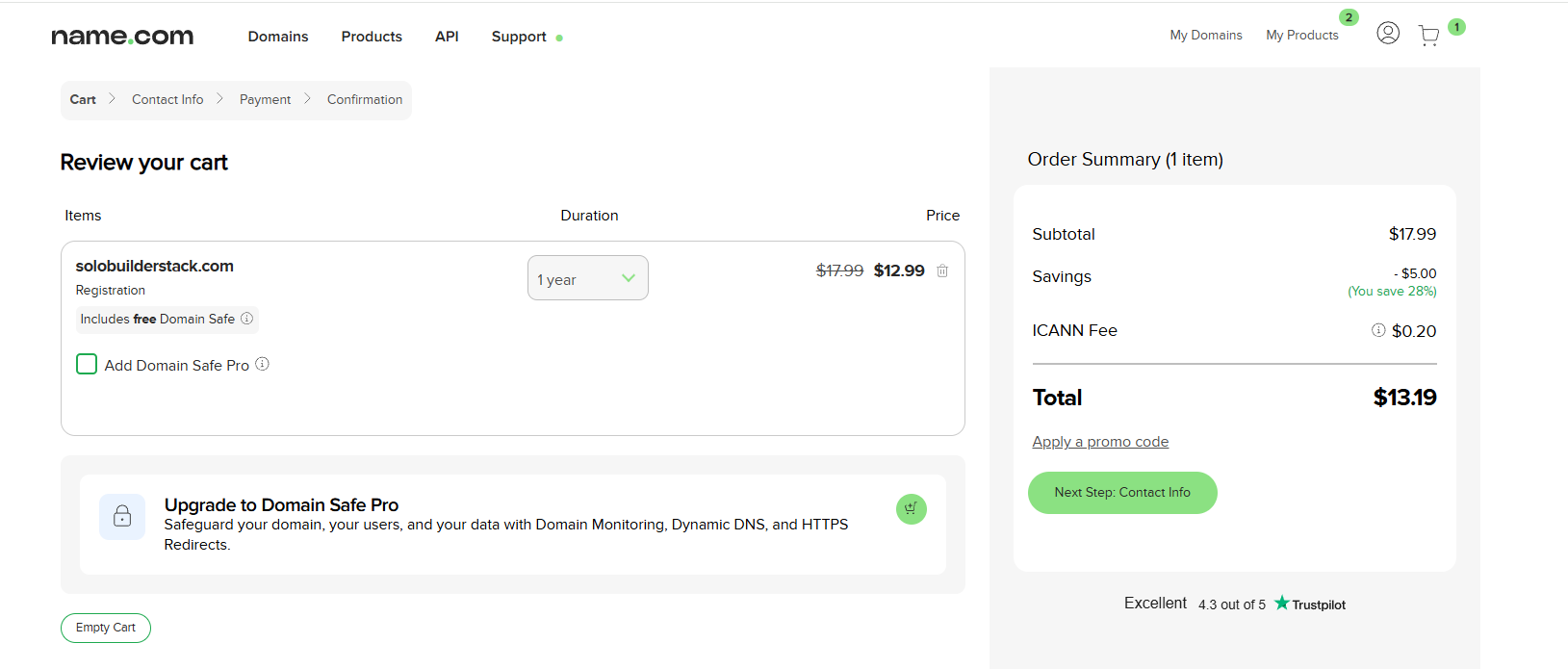
This plan uses the actual solobuilderstack.com launch flow: domain purchase, Cloudflare Pages deployment, canonical redirects, and Search Console sitemap submission.
The goal is to create pages that can later support AdSense or affiliate tests without violating platform policies or misleading readers.
Recommended workflow
- Keep the site technically stable: one canonical domain, working HTTPS, a valid sitemap, and no duplicate-host confusion.
- Turn screenshots and setup notes into real launch evidence, with private data removed before publishing.
- Upgrade only a small number of tool pages with official sources, last-updated dates, screenshots, and practical verdicts.
- Use Search Console impressions and queries to decide which pages deserve more hands-on testing.
- Delay AdSense and affiliate links until the site has original content, clear navigation, and measurable user demand.
- Record every Search Console observation so future decisions are based on data rather than guesswork.
1. First 30-day evidence plan
A new site should not behave like a mature publisher. In the first 30 days, the most useful work is evidence collection: what was deployed, what was verified, what Google discovered, and which pages started receiving impressions.
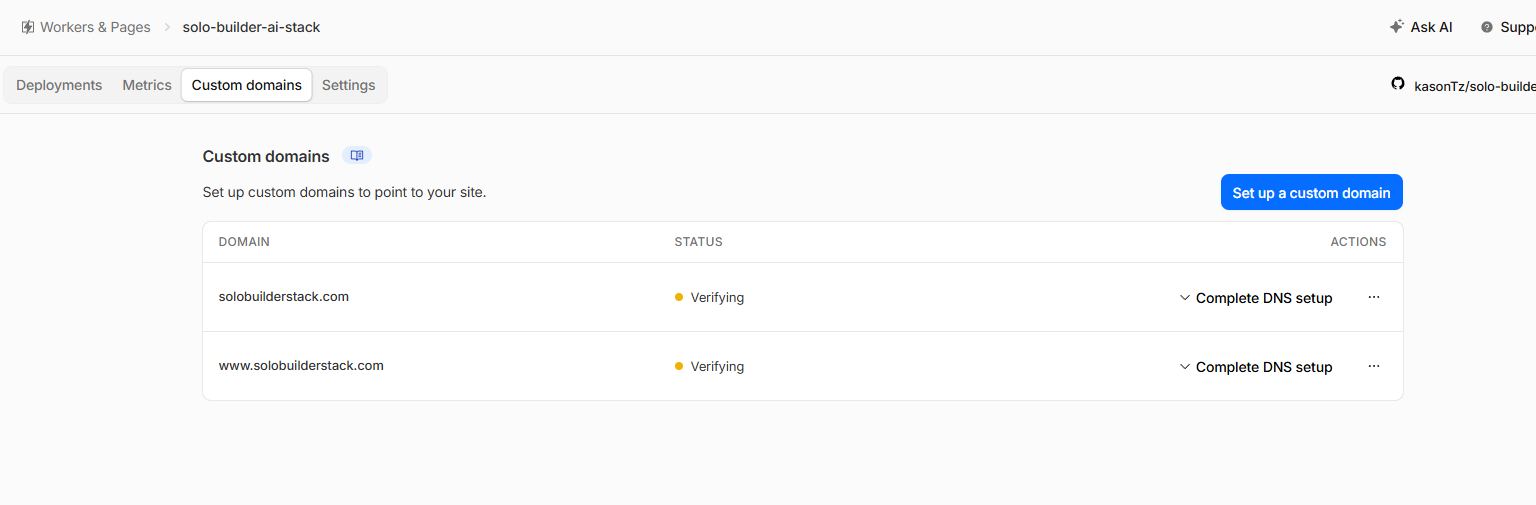
For this project, the evidence already includes a paid .com domain, Cloudflare Pages custom domains, canonical redirects, and a sitemap accepted by Search Console. Those screenshots are more valuable than generic AI-written explanations because they show the site is based on a real build.
- Publish setup evidence only after removing personal identifiers.
- Do not claim traffic or revenue before Search Console shows durable data.
- Treat every new tool page as a review candidate, not a finished recommendation.
2. Keep the technical foundation boring
Before publishing more content, the site needs one stable production address. This site uses https://solobuilderstack.com as the canonical host. The www host and temporary pages.dev host redirect to it.
This matters because duplicate hosts can split signals, confuse screenshots, and make Search Console data harder to interpret. A beginner site should avoid that complexity before trying to grow.
- Confirm apex and www domains are active with SSL.
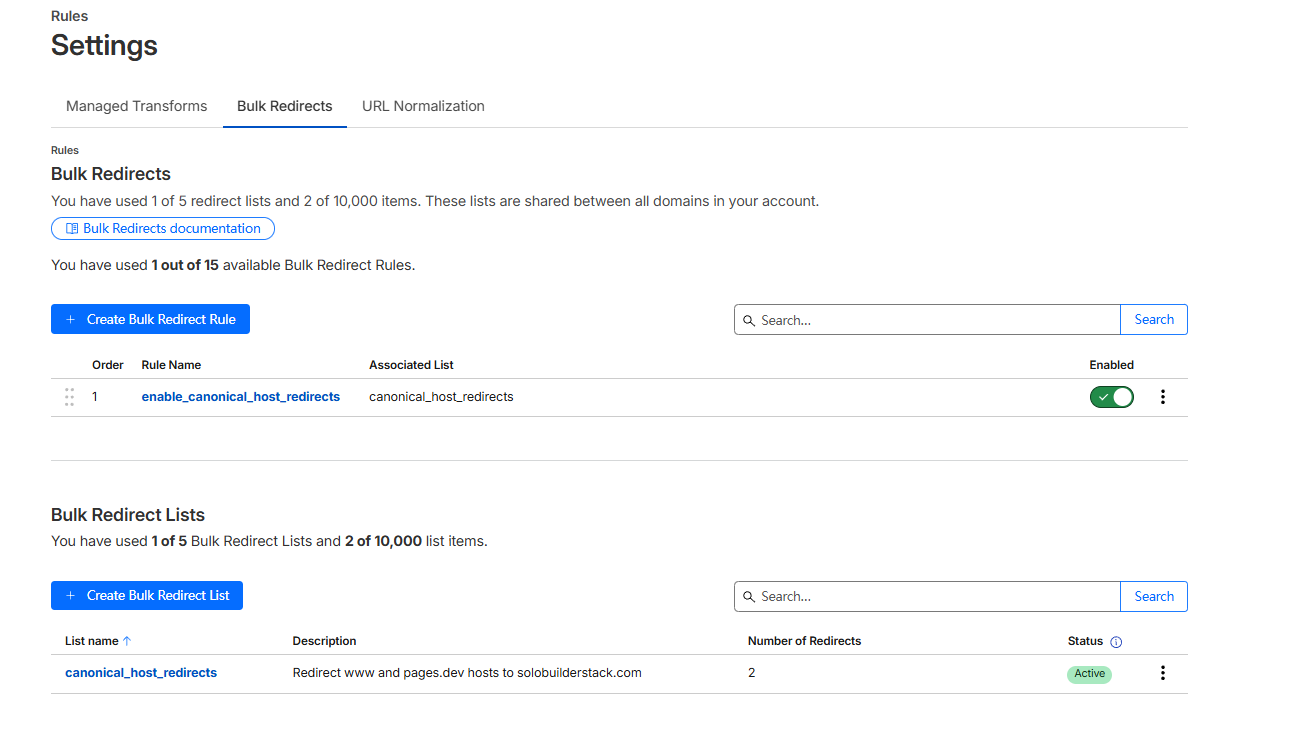
- Redirect duplicate hosts with 301 redirects.
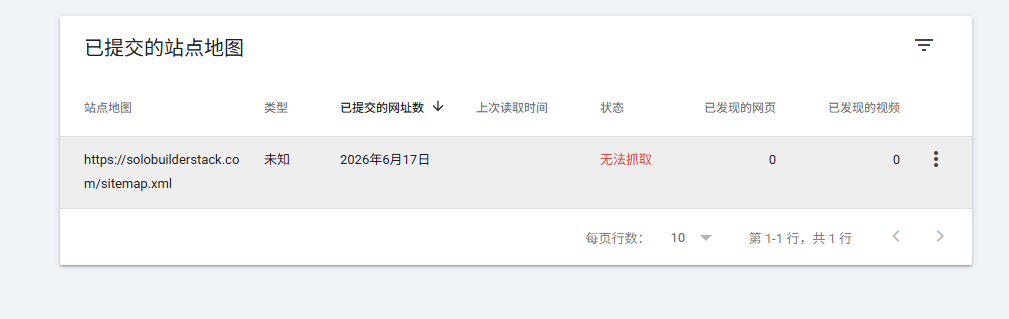
- Check sitemap.xml after each deployment batch.
3. Use redirects to keep Google focused
Host-level redirects are not just housekeeping. They protect the site from publishing the same content under multiple URLs. For a small site trying to build trust, this is a basic SEO hygiene step.
Cloudflare Bulk Redirects were used here because the redirects involve separate hostnames, including the temporary pages.dev address.
- Keep query strings and path suffixes when redirecting duplicate hosts.
- Use 301 redirects for permanent canonical host decisions.
- Retest the live URLs after saving redirect rules.
4. Treat Search Console as the operating dashboard
Search Console is where the first real market signal appears. In the early days, the key numbers are not revenue. They are sitemap status, indexed pages, impressions, pages with impressions, and queries that unexpectedly trigger the site.
The first impressions on this project included queries around Name.com and Mediavine-related research. That does not mean those topics are the final niche. It means Google has started testing where the site might fit, and the next pages should respond with better evidence and clearer intent.
- Record impressions, clicks, average position, pages, and queries every week.
- Expand pages that match real queries and have room for first-hand evidence.
- Leave thin pages noindex until they have enough source checks and screenshots.
5. AdSense should wait
AdSense should wait until the site has enough original pages, clear navigation, policy-safe content, and actual search demand. Google states that sites need unique content that is relevant to visitors and a good user experience before AdSense is a serious option.
Applying too early can waste time and push the site toward ad placement decisions before the content has earned trust. For this site, the better first-month task is to expand evidence-backed guides and tool pages.
- Do not apply with a thin directory that mostly repeats product homepages.
- Do not place ads where they would overwhelm setup guides or screenshots.
- Do not use content that promises income, approval, or search placement.
6. Affiliate links need disclosure and editorial separation
Affiliate links can fit a tool directory later, but only if recommendations remain honest and the commercial relationship is disclosed clearly. The FTC guidance treats material connections as something readers should be told about when evaluating an endorsement.
A practical rule for this site is simple: write the verdict first, based on evidence, then decide whether a compliant affiliate link belongs there. Do not let commission availability decide which tool gets recommended.
- Place disclosure near monetized recommendations, not only in a footer.
- Record program terms, allowed traffic sources, and last-checked dates.
- Keep non-monetized official links available when they are more useful to the reader.
7. What to publish during the first month
The safest first-month content mix is narrow: launch logs, deployment comparisons, Search Console observations, and a few upgraded tool pages directly connected to the build workflow. This gives the site a clear identity and enough evidence to avoid looking like a mass-generated AI directory.
The content should answer beginner questions from a real build: which domain registrar worked, why Cloudflare Pages was chosen, why Netlify was only compared, why sitemap status matters, and when monetization should begin.
- One real launch log with screenshots.
- One Search Console decision framework.
- One deployment comparison page.
- Two to four source-checked tool pages tied to the workflow.
- One weekly Search Console observation note in the internal notes folder.
Common mistakes to avoid
Do not publish screenshots that show phone numbers, email inboxes, physical addresses, order IDs, API tokens, Zone IDs, or account IDs.
Do not use AI to mass-generate pages that do not add original evidence or practical value.
Do not apply for ads before the site has enough unique content and user value.
Do not add affiliate links before the page has a clear disclosure and an evidence-backed verdict.
Do not treat early impressions as proof that a topic will make money.
Primary sources
- Google helpful, reliable, people-first content
- Google guidance on generative AI content
- AdSense eligibility requirements
- Make sure your site's pages are ready for AdSense
- AdSense Program policies
- FTC Endorsement Guides Q&A
Tools to inspect first
Google Search Console
Submit sitemaps, inspect indexing, monitor queries, and track search clicks.
Cloudflare Pages
Deploy static builds, preview branches, and edge functions.
Google AdSense
Earn from display ads after site approval and policy compliance.
Affiliate Programs
Earn commissions when readers buy tools through tracked links.
Netlify
Deploy content sites and app front ends with branch previews.
Next.js
Build SEO pages, app routes, API endpoints, and richer web products.