For this project, Cloudflare Pages remains the default because the domain, DNS, redirects, SSL, and Search Console setup are already working on Cloudflare.
Cloudflare Pages vs Netlify vs Vercel for a New AI Site
A source-checked deployment comparison for solo builders choosing where to host a small AI-assisted content site that may later use ads or affiliate links.
Updated: 2026-06-20
Netlify is the strongest alternative when deploy previews, forms, functions, and a mature Jamstack workflow matter more than keeping DNS and hosting in one place.
Vercel is attractive for Next.js and fast GitHub deployments, but the free Hobby plan is not the right long-term choice for a site built with monetization in mind.
Recommended workflow
- Choose Cloudflare Pages when the site is mostly static, DNS already lives on Cloudflare, and low-cost global delivery matters.
- Choose Netlify when the workflow needs deploy previews, simple forms, function features, or a dashboard that non-specialists can operate.
- Choose Vercel when the project is a Next.js app and the owner is ready to use a paid plan for commercial intent.
- Do not move platforms only because another tool is popular; move only when a real requirement appears.
- Before monetization, verify pricing, commercial-use rules, custom domain setup, and redirect behavior from official sources.
1. Current decision for this project
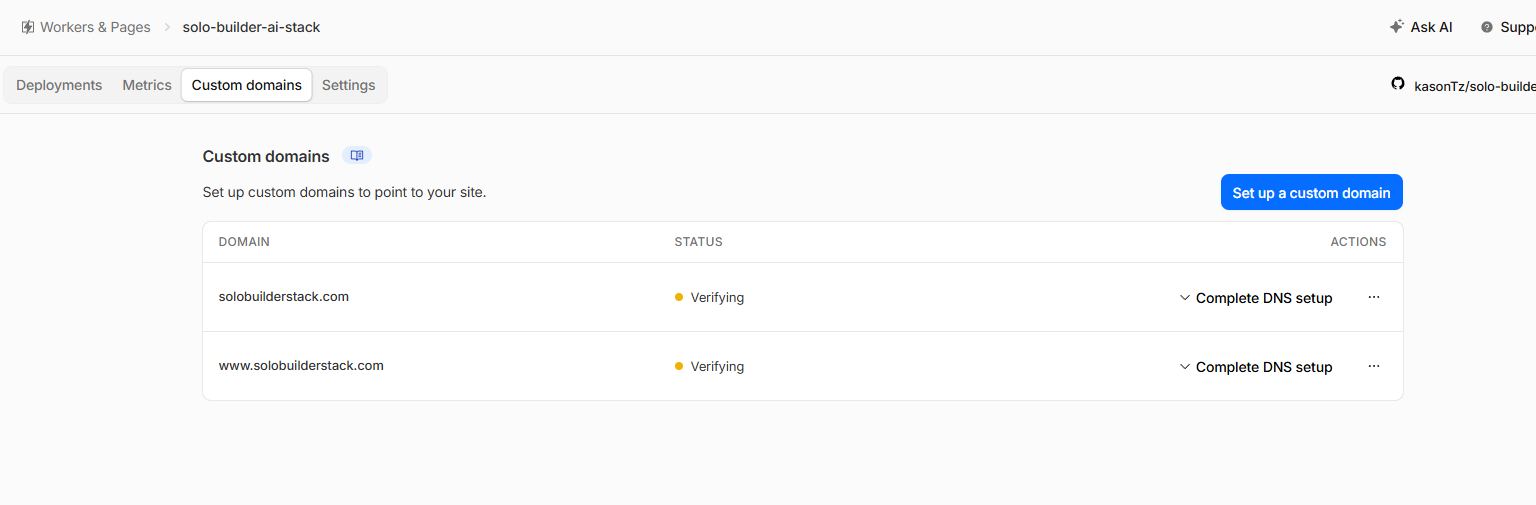
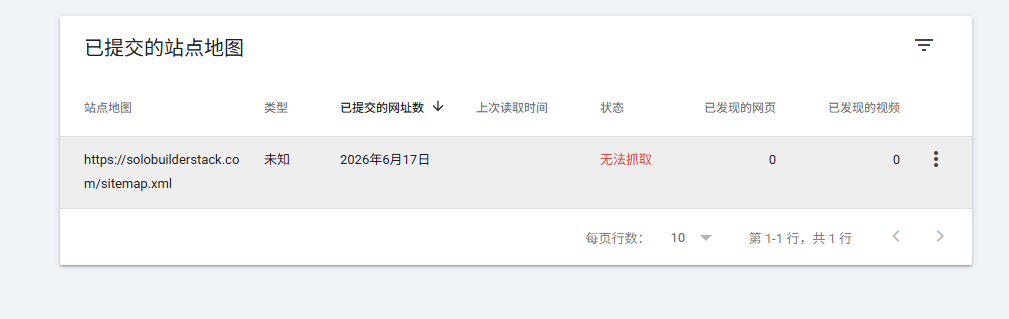
The current decision for this project is to stay on Cloudflare Pages. That is not because Cloudflare is always the best platform. It is because solobuilderstack.com already has the production domain, Cloudflare DNS, SSL, www and pages.dev redirects, and Search Console sitemap flow working together.
A beginner project should avoid changing hosting before there is a clear benefit. Every migration creates new risks: DNS mistakes, duplicate hosts, broken redirects, sitemap churn, and confusing Search Console data. At this stage, the higher-value work is content quality and evidence collection.
- Keep Cloudflare Pages as the production host for now.
- Use Netlify and Vercel as comparison topics, not as urgent migration targets.
- Reconsider the platform only if the site needs forms, server functions, Next.js-specific behavior, or usage limits that Cloudflare no longer fits.
2. What the official pricing pages say
Cloudflare Pages lists a free tier with one build at a time, 500 builds per month, 100 custom domains per project, unlimited sites, unlimited static requests, and unlimited bandwidth. That makes it a strong fit for a small static directory where the main cost risk is content work, not hosting.
Netlify's current pricing is credit-based. Its free plan is listed as $0 forever and includes deploys from AI, Git, or API, unlimited deploy previews, custom domains with SSL, functions, storage options, a global CDN, and a 300 credit monthly limit. Netlify's docs explain that new accounts use credit-based pricing and that credits simplify metered usage across plan features.
Vercel's pricing page positions Hobby as free for a web app or personal project and Pro at $20/month plus additional usage, while the Hobby plan documentation states that commercial use requires either a Pro or Enterprise plan. That distinction matters for this site because the stated long-term goal is revenue through ads, affiliate links, or sponsorship.
- Cloudflare Pages: strongest free static-hosting fit for this current domain/DNS setup.
- Netlify: attractive workflow features, but credit usage must be monitored.
- Vercel: excellent GitHub and Next.js experience, but monetized projects should not rely on Hobby.
3. Domain and DNS complexity
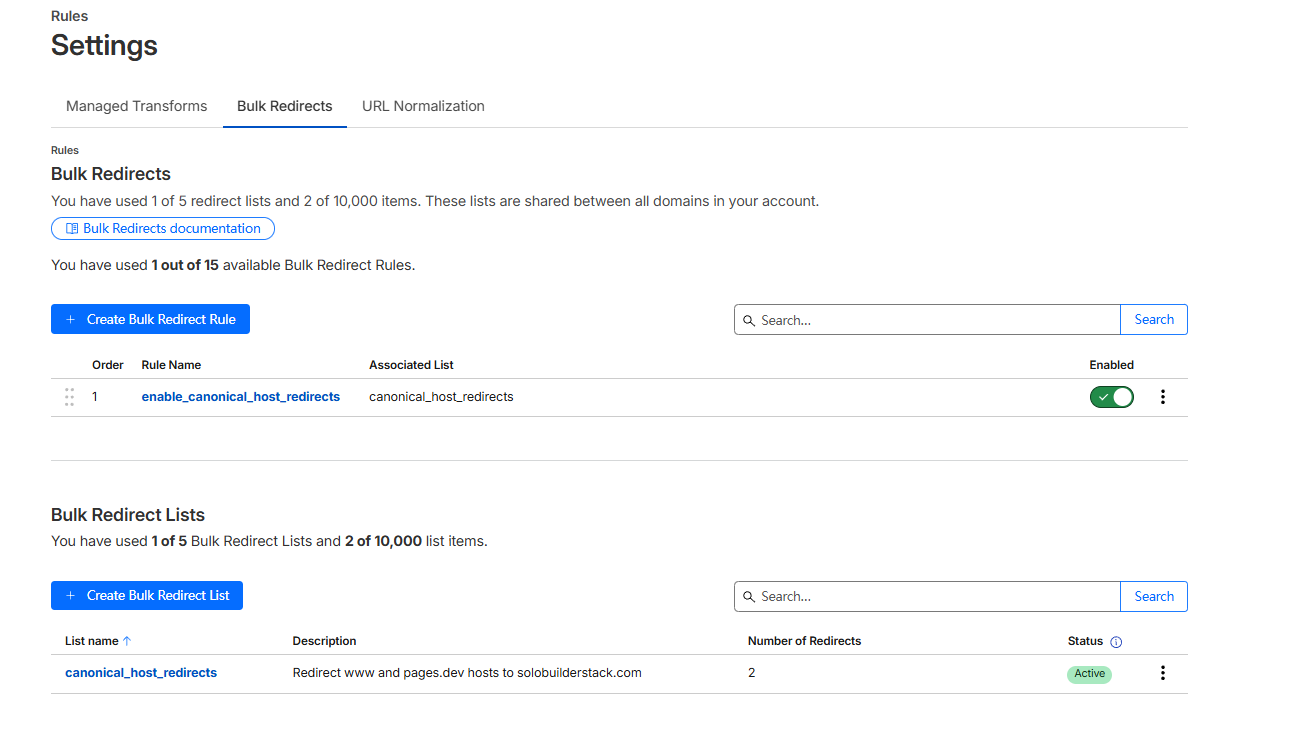
Cloudflare has the simplest story for this project because DNS, Pages, SSL, and redirects are in the same account. The current setup uses Cloudflare nameservers, Pages custom domains, and Bulk Redirects to enforce one canonical host.
Netlify and Vercel can both use custom domains, but connecting either one would add another layer to the current setup. That can be fine when there is a product reason, but it is not useful to introduce during early Search Console measurement unless the current platform is blocking progress.
- For beginners, fewer DNS systems usually means fewer failure points.
- If hosting changes, test apex, www, sitemap.xml, robots.txt, and redirects before resubmitting anything.
- Avoid leaving both the old and new deployment URLs indexable.
4. Workflow comparison for a solo builder
Cloudflare Pages is best when the site is static, the owner wants low operating cost, and Cloudflare DNS is already part of the stack. It is less convenient if the project starts relying heavily on platform-specific functions or non-Cloudflare workflows.
Netlify is best when the publishing workflow benefits from deploy previews, simple form handling, serverless functions, or rollback features. It can be a practical choice for a content business, but credit usage and add-ons need routine checks.
Vercel is best when the project is built around Next.js and the owner values fast Git-based deployments, preview URLs, and a framework-native experience. For a commercial or soon-to-be commercial site, the plan choice must be made deliberately.
- Static directory with Cloudflare DNS: start with Cloudflare Pages.
- Jamstack site with forms and editorial previews: consider Netlify.
- Next.js app with server features: consider Vercel Pro or another paid-capable deployment path.
5. Monetization and compliance risk
A hosting platform does not create revenue. It only keeps the site online and measurable. For a new AI tool directory, monetization depends more on original content, Search Console data, user trust, and policy-safe ad or affiliate implementation.
The main compliance risk in this comparison is treating free hosting as if it automatically supports commercial activity. Cloudflare Pages and Netlify can be evaluated for low-cost hosting, while Vercel's own Hobby documentation makes the non-commercial boundary explicit. If the site starts earning or is intentionally built to earn, this should be treated as commercial intent.
- Do not choose a host by the word free alone.
- Check whether the current plan allows the site's intended commercial use.
- Record plan limits and last-checked dates before adding ads or affiliate links.
6. Practical recommendation
For solobuilderstack.com, the practical recommendation is to keep Cloudflare Pages, keep building source-checked content, and use Netlify/Vercel comparisons as content assets rather than migration tasks. This creates a better SEO page because the recommendation is anchored in a real deployment, not a generic platform ranking.
The first reason to revisit Netlify would be a need for built-in forms, richer deploy-preview workflows, or a dashboard that makes editorial review easier. The first reason to revisit Vercel would be a serious Next.js app feature that justifies commercial-plan planning. Until then, the current platform is enough.
- Now: keep Cloudflare Pages as production.
- Later: test Netlify with a preview-only clone if forms or editorial workflows become important.
- Later: test Vercel only when the project has Next.js-specific app requirements and a paid-plan path.
Common mistakes to avoid
Do not migrate platforms while Search Console is still collecting early baseline data unless the current host is blocking the site.
Do not treat Vercel Hobby as a long-term plan for a site intentionally built to monetize.
Do not quote pricing from old blog posts without checking the current official pricing pages.
Do not keep pages.dev, netlify.app, or vercel.app versions indexable alongside the custom domain.
Do not choose a platform only because it is popular in developer communities.
Primary sources
- Cloudflare Pages pricing
- Cloudflare Pages limits
- Netlify pricing
- Netlify credit-based pricing docs
- Vercel pricing
- Vercel Hobby plan
- Vercel for GitHub
- Vercel custom domains
Tools to inspect first
Cloudflare Pages
Deploy static builds, preview branches, and edge functions.
Netlify
Deploy content sites and app front ends with branch previews.
Next.js
Build SEO pages, app routes, API endpoints, and richer web products.
Google Search Console
Submit sitemaps, inspect indexing, monitor queries, and track search clicks.
Google AdSense
Earn from display ads after site approval and policy compliance.
Affiliate Programs
Earn commissions when readers buy tools through tracked links.